
In this article
Explore Smart Logs to review hat happened before and after specific events for full context and diagnostics
Smart Logs Overview
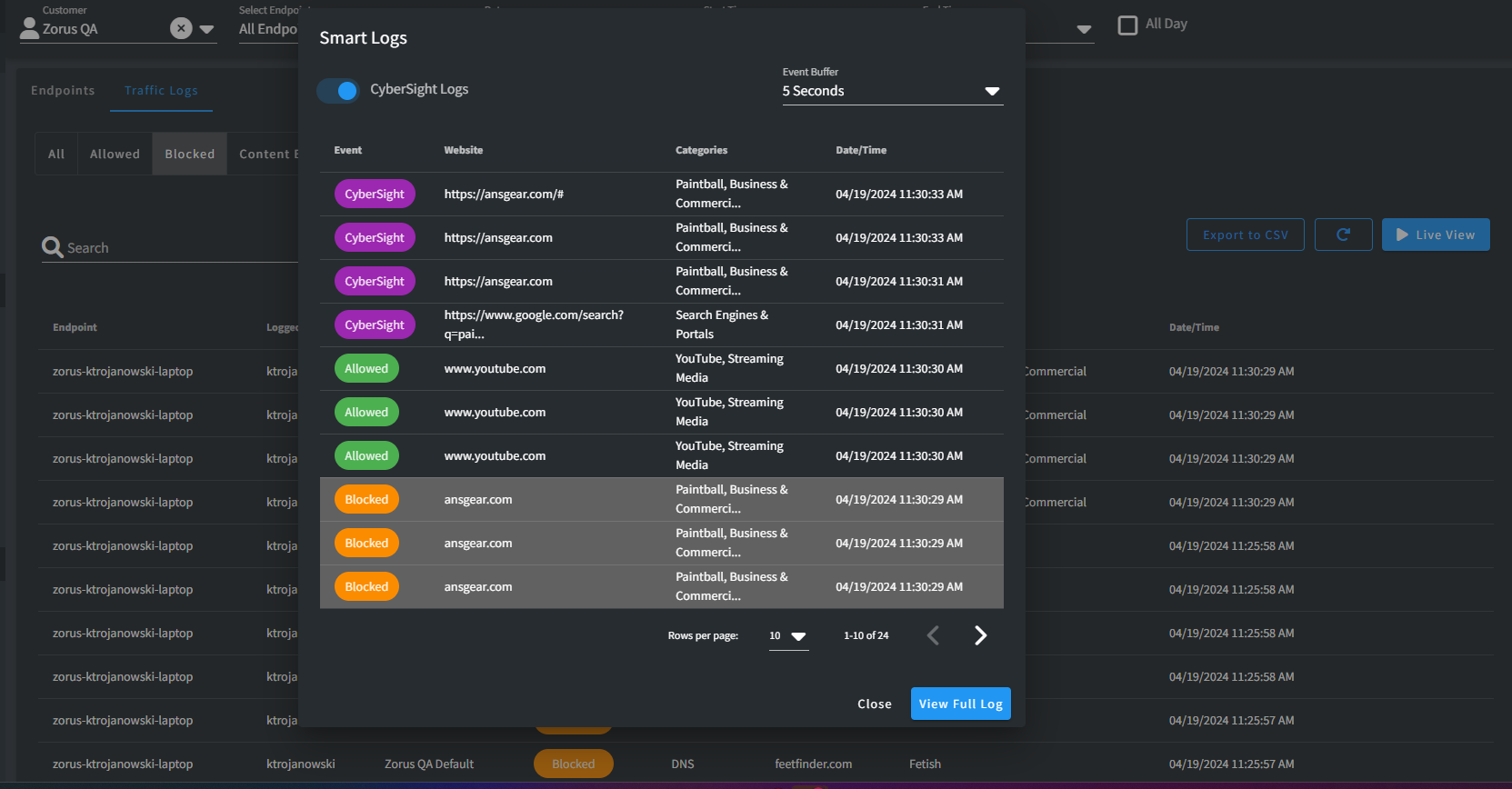
Explore what occurred 5-15 seconds before and after when filtering for a specific event or encountering a blocked page.
Smart Logs provides essential context for diagnostics and timeline analysis at the click of a button, making it particularly valuable for understanding obscure website unblock requests and user activity leading up to the event
Note: Smart Logs incorporates CyberSight Full URL records, enhancing its capabilities for detailed context
Traffic Logs
Effortlessly grasp contextual events by swiftly activating Smart Logs from the hover options of filtered or searched events in Traffic Logs
Workflow
-
Search or Quick Filter to a specific event
- Hover over event to launch Smart Logs modal
- See user activity and event that occurred before and after based on the Event Buffer interval
- Need more context? View Full Logs to jump to the 15-minute window the event took place

Unblock Requests
Review events surrounding the block event to determine the root cause swiftly. Quickly discern whether the request should be allowed or denied
Note: Depending on when the user submitted the Unblock Request, viewing the Full Log may be necessary. This action jumps you from the Smart Logs modal to the 15-minute period when the request occurred
Workflow
- Unblock Request is received and being reviewed in Portal
- Launch Smart Logs from the Unblock Request Action menu
- Need more context? View Full Logs to jump to the 15-minute window the event took place


Comments
0 comments
Please sign in to leave a comment.